

Discover the solution to revive your dead Redmi 14C (Lake/Pond) or Poco C75/Redmi A3 Pro with our detailed guide. Learn how to flash using the Xiaomi Redmi 14C Lake OS1.0.4.0.bin and lake_pond_MTK_AllInOne_DA.bin without authentication or JTAG. Perfect for beginners,
Why Choose This Method?
- No authentication needed
- No JTAG hardware required
- Compatible with Redmi 14C (Lake/Pond), Poco C75, and Redmi A3 Pro
- Uses readily available DA files
Prerequisites
- PC with Windows 10/11
- USB cable
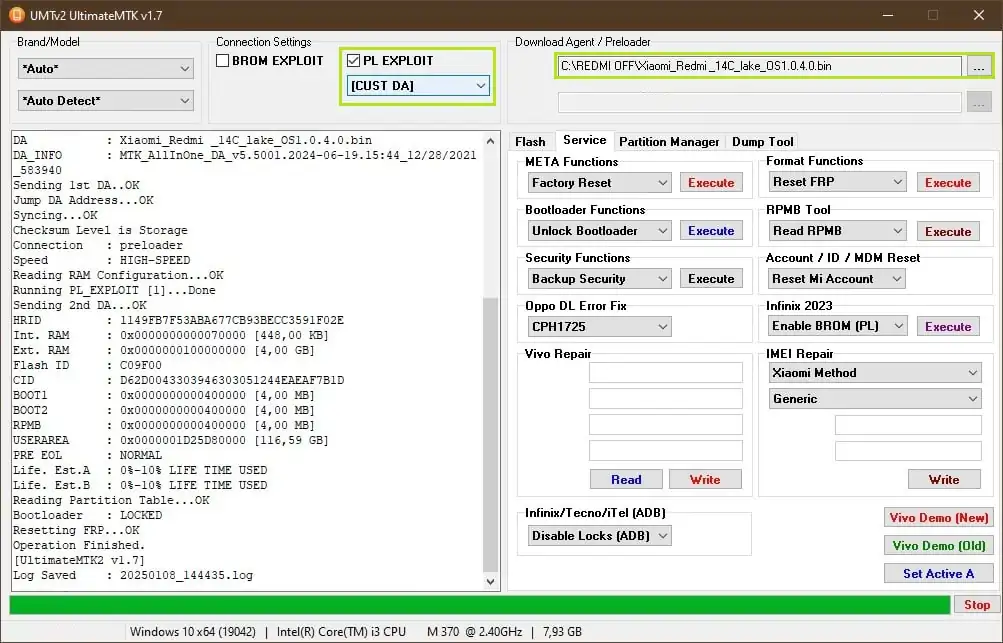
- MTK UltimateMTK v1.7 or UnlockTool software
- Downloadable both link files same: lake_pond_MTK_AllInOne_DA.bin and Xiaomi_Redmi_14C_lake_OS1.0.4.0.bin
Step-by-Step Tutorial
Step 1: Install Required Software
Download and install MTK UltimateMTK v1.7 or UnlockTool on your PC. Ensure drivers for MediaTek devices are installed.
Step 2: Connect Device in BROM Mode
- Power off your Redmi 14C.
- Press and hold the Volume Up and Power buttons together.
- Connect the device to your PC via USB.
Step 3: Load Custom DA File
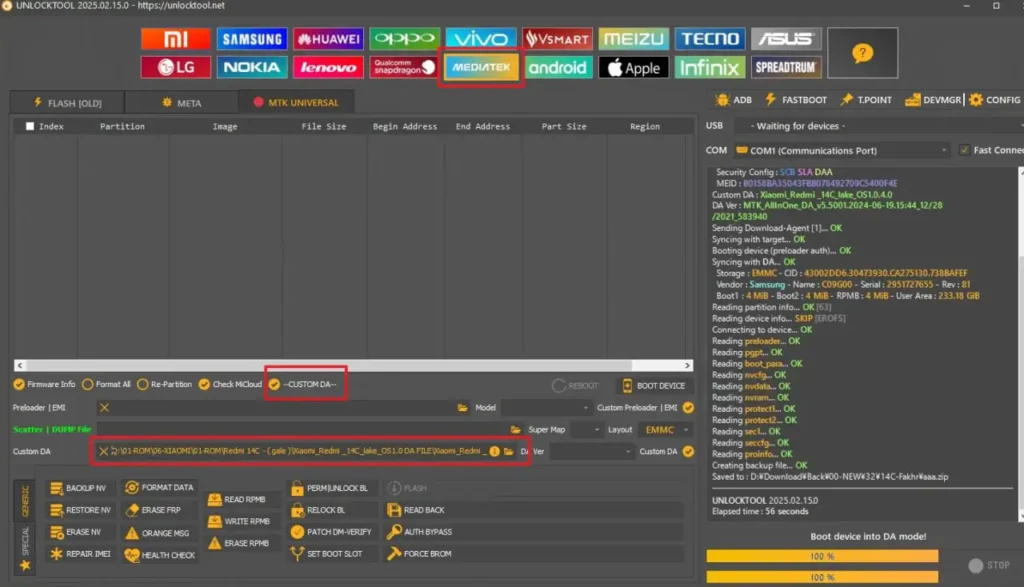
- Open MTK UltimateMTK or UnlockTool.
- Navigate to Connection Settings and select “BROM EXPLOIT” and “CUST DA”.
- Load the lake_pond_MTK_AllInOne_DA.bin file.
Step 4: Flash the Firmware
- Select the Xiaomi_Redmi_14C_lake_OS1.0.4.0.bin file.
- Click “Flash” or “Write” to start the flashing process.
- Wait for the process to complete (usually takes 5-10 minutes).
Step 5: Reboot Device
- Once flashing is successful, disconnect the device.
- Press the Power button to reboot. Your device should now boot normally.
Conclusion
Reviving your dead Redmi 14C (Lake/Pond) is now hassle-free with this no-auth, no-JTAG flashing method. Follow the steps, use the provided DA and firmware files, and get your device back in action. Share your success in the comments!


