

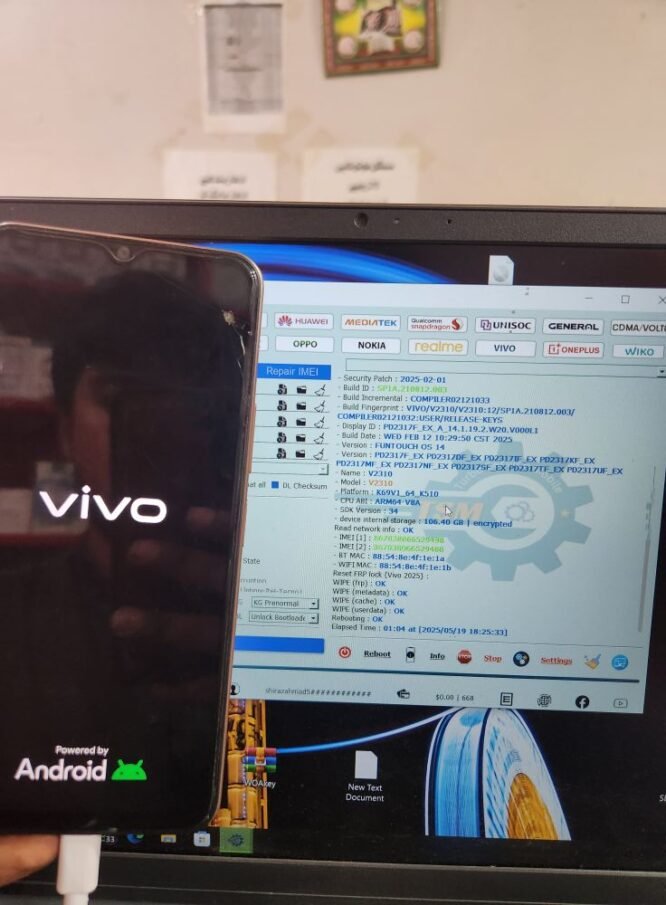
Vivo Y17s V2310 Remove FRP Lock Latest Security Patch With TSM Tool
Device Information
| Brand | Vivo Y17s |
|---|---|
| Model | V2310 |
| CPU | MediaTek |
| Android Version | 14 |
| Security Patch | 2025-02-01 |
| Mode | Preloader Mode |
| Method | FRP Lock Remove |
| Tool | TSM Tool Official |
What is KG Lock?
KG Lock (Know-Good Lock) is a security mechanism introduced by Android to protect the device from unauthorized access after a factory reset. It ensures that only the original user with the correct Google account credentials can unlock the phone.
Why KG Lock Happens?
- Device reset without removing Google account
- Flashing with unauthorized firmware
- Attempting to unlock bootloader
- Security patch updates trigger lock
Why Use TSM Tool Pro?
- Official and regularly updated
- Supports latest security patches
- Simple interface for technicians
- Fast and secure FRP bypass
Step-by-Step Guide to Remove FRP Lock
- Download and install the latest version of TSM Tool Pro.
- Install Vivo V2310 Preloader USB drivers on your PC.
- Turn off the phone and connect it in Preloader Mode.
- Launch the TSM Tool and select “FRP Remove” function.
- Choose the correct model or let the tool auto-detect.
- Click “Start” and wait for the process to complete.
- Device will reboot FRP-free and ready to use.
Technician Safety Tips
- Always use updated tools and drivers
- Ensure device battery is above 50%
- Use ESD protection while handling hardware
- Keep a backup of original firmware
What is FRP Lock?
FRP (Factory Reset Protection) is a security feature introduced by Google to prevent misuse of a phone after it has been factory reset. When FRP is enabled, it requires the original Google credentials after a reset. It’s crucial to remove Google accounts before resetting the phone to avoid this lock.
Real Technician Reference
| Technician | Abrm Baloch |
|---|---|
| Shop | A.One Communication |
| Location | Gwadar, Balochistan |
|
Chat on WhatsApp |
Summary Table
| Model | Vivo Y17s V2310 |
|---|---|
| FRP Status | Removed |
| Security Patch | 2025-02-01 |
| Tool Used | TSM Tool Official |
FAQ
Q1: Is TSM Tool safe to use?
A1: Yes, TSM Tool is officially developed and regularly updated to handle latest security patches.
Q2: Do I need internet to use TSM Tool?
A2: Some features may require login or activation, so ensure internet access is available.
Q3: Can this method work on other Vivo models?
A3: Yes, TSM Tool supports a wide range of Vivo and MediaTek-based devices.
Q4: What if the device doesn’t connect?
A4: Check USB cable, drivers, and make sure you’re in correct Preloader mode.


